Preparing Your Documents for AI
How clean, searchable, well-labelled scans let AI work from your own records, and how we help you get there.
Read the guideMost scanner problems are not about speed. They come from paper that jams, pages that feed through together, documents that scan badly, and setups that behave differently from one desk to the next. A scanner that handles those well saves far more time than one that is a few pages a minute faster.
Key points
This guide explains the features that decide how a scanner performs day to day, and why Vision and Beyond recommends KODAK scanners from Kodak Alaris. The reasons are specific, and the figures can be checked for the model you are considering.
If you ask people who scan every day what slows them down, the answers are rarely about speed.
A good scanner is built to deal with these before they become your problem. The rest of this guide looks at how.
This is where KODAK scanners earn most of our recommendation. The N2000, S3000 and S5000 series have a set of protections that work together:
The result is that operators spend less time babysitting the scanner, and fewer pages are missed or damaged. For anyone scanning records or legal documents, that matters more than a few extra pages a minute.
A scan is only useful if it can be read, by people and by software. KODAK scanners use two technologies aimed at that.
Perfect Page is Kodak Alaris's image processing (Kodak article). It is designed to capture difficult originals cleanly on the first scan, and to deliver a good image at a small file size. It is built into the whole KODAK range, from the E series to the S5000 series.
Dual-light illumination is used alongside Perfect Page on the E and N series. It helps capture difficult originals cleanly and supports high OCR read rates.
Why this matters in practice:
The best test is your own paper, so we recommend scanning a sample of your hardest documents before you decide.
The KODAK range covers most needs, so you can match the scanner to the job and keep the same way of working. "Recommended daily volume" is a planning guide, not a limit.
| Model | Speed (pages per minute) | Recommended daily volume | Feeder capacity | Suits |
|---|---|---|---|---|
| E1030 | 30 | 4,000 | 80 sheets | Single users and small desks |
| N2040 | 40 | 6,000 | 100 sheets | Small offices and single users |
| N2050 | 50 | 8,000 | 100 sheets | Small teams that want more speed |
| S2050 | 50 | 6,000 | 80 sheets | Desks that need 50 pages a minute |
| S2060w | 60 | 9,000 | 80 sheets | Small offices sharing a scanner over Wi-Fi or Ethernet |
| S2070 | 70 | 10,000 | 80 sheets | Busy desks that need 70 pages a minute |
| S2080w | 80 | 12,000 | 80 sheets | Busy offices sharing a fast desktop scanner |
| S2085f | 85 | 20,000 | 300 sheets | Desktop scanning with a 300-sheet feeder and a built-in flatbed |
| Scan Station 730EX Plus | 70 | 6,000 | 75 sheets | Shared scanning direct to the network, with no PC |
| S3060 and S3060f | 60 | 25,000 | 300 sheets | Departments scanning every day |
| S3100 and S3100f | 100 | 45,000 | 300 sheets | Busy back offices |
| S3120 Max | 120 | 100,000 | 500 sheets | Shared scanning rooms |
| S3140 Max | 140 | 120,000 | 500 sheets | High-volume shared scanning |
| i4250 | 130 | 110,000 | 500 sheets | Compact production scanning |
| i4650 | 150 | 130,000 | 500 sheets | Higher-volume compact production |
| i4850 | 160 | 150,000 | 500 sheets | The fastest in the i4000 series |
| S5160 | 160 | Unlimited | 750 sheets | Production scanning and bureau work |
| S5180 | 180 | Unlimited | 750 sheets | Production scanning and bureau work |
| S5210 | 210 | Unlimited | 750 sheets | The fastest in the range |
| i5250 | 150 | Unlimited | 750 sheets | Production scanning with unlimited daily volume |
| i5650 | 180 | Unlimited | 750 sheets | Fast production scanning on a desk or bench |
| i5850 | 210 | Unlimited | 750 sheets | The fastest i5000, on its own floor stand |
Speeds are the manufacturer's ratings and depend on the settings, software and computer used. Each scanner captures both sides in one pass, so a 60 pages per minute scanner produces up to 120 images a minute. The S2085f, S3060f and S3100f add an integrated flatbed for books and fragile items. Our scanner finder narrows the choice from your own volumes and paper.
A scanner is only half of the capture process. KODAK scanners come with a common set of tools, so what you learn on one carries to the next.
For most customers, that means a straightforward start with the software included, and a clear path to more automation as needs grow. Our guide on what happens after the scan shows where that leads.
For organisations with many offices, the challenge is making scanning work the same way everywhere, and keeping it safe.
The N2000 series is built with that in mind. It is a network scanner with a 3.5 inch touchscreen and a set of security features: secure boot with signed firmware, so only trusted code runs, and encrypted connections. It is aimed at organisations that need scanning to work the same way everywhere, from a single desk to a global fleet.
The larger S3000 and S5000 series also have a 3.5 inch or 7.5 inch colour touchscreen with operator controls, which makes day-to-day use straightforward for people who are not scanning experts.
If you manage more than a few scanners, ask about how they are set up, updated and supported. A consistent range, with the same software and settings, makes that much easier.
The right scanner is only part of a good result. Vision and Beyond is an authorised reseller of Kodak Alaris, and we work with you from the choice of model through to the day it is running.
A few questions point to the right scanner quickly:
If you are between two models, we usually suggest the one with more capacity than today's volume. Volumes tend to grow, and a scanner working well within its range is more reliable and lasts longer.
Because of how they handle paper and images: ultrasonic multi-feed detection, jam protection, Perfect Page image processing, and one range with common software from a single desk to production.
Kodak Alaris image processing designed to capture difficult originals cleanly on the first scan and deliver a good image at a small file size.
The Limited Edition is free for E1000, N2000, S2000, S3000 and i4000 series scanners and covers batching, separation, basic indexing and output. Full Capture Pro is licensed and adds database lookup, OMR, multi-batch scanning, a full API and central management. The S5000 series uses full Capture Pro.
No. A faster scanner that jams or feeds pages together is slower in practice, so paper handling and image quality matter as much as speed.
Start with pages per day, paper condition, whether you need a flatbed, paper width and where the files go. The scanner finder narrows the choice.
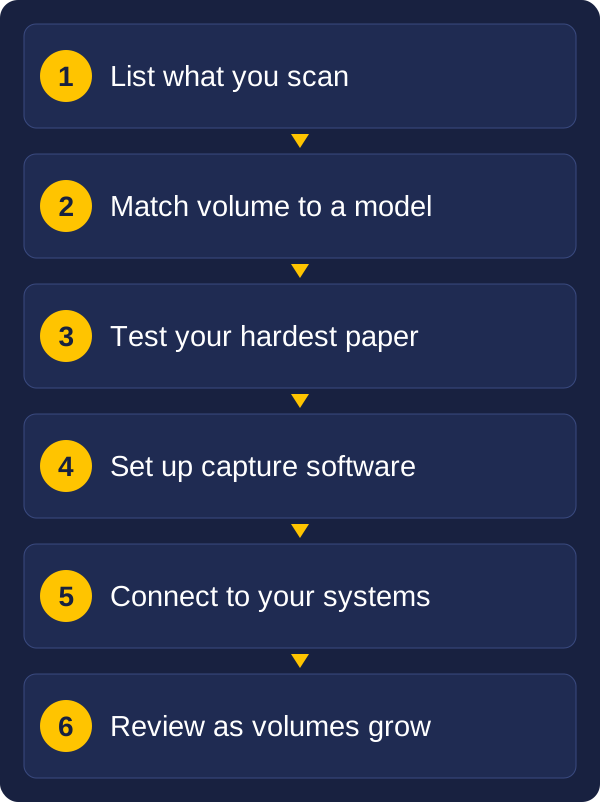
Begin with what you scan today: the type of paper, how many pages a day, and where the files need to go. That is usually enough to narrow the choice to one or two models.
Vision and Beyond is an authorised reseller of Kodak Alaris, and we help with the choice, the setup and the connection to your systems. If you would like to talk it through, send us a message with the kind of documents you scan, roughly how many, and what you need to do with them.
These guides may also help:
Tell us what you scan, roughly how much, and what you need to do with the files. We will reply with a recommendation.