Preparing Your Documents for AI
How clean, searchable, well-labelled scans let AI work from your own records, and how we help you get there.
Read the guideThe file type you scan to affects how big the files are, how long they stay readable, how easily they can be shared and how much detail is kept. Choosing it after scanning has started usually means rescanning, so decide first.
Key points
This guide explains the common file types and what compression means, and shows what Australian archives recommend. It is general information, not legal advice. Requirements differ by organisation and type of record, so check which rules apply to you.
An image format and a document format are different things. A scanner produces a picture of each page. An image format, such as TIFF or JPEG, stores that picture. A document format, such as PDF, is a container that can hold one or many page images, and can also hold searchable text.
Compression makes files smaller. Without it, a large scan can be tens or hundreds of megabytes. There are two kinds:
Most choices come down to these two ideas: what the file is for, and how much detail you can afford to lose.
| Format | What it is | Strengths | Watch for |
|---|---|---|---|
| TIFF | An image format, one or many pages | Keeps full quality, widely used for master copies, can be uncompressed or lossless | Large files, and not convenient for sharing or viewing in a browser |
| JPEG | A lossy image format for single images | Small files, suits photographs | Loses detail, shows blur around text and fine lines, and one file per page |
| PNG | A lossless image format | Exact copy, good for graphics and screenshots | Large for photographs, one page per file, less common for archives |
| JPEG 2000 | An image format that can be lossless or lossy | Good quality for its size, used by libraries and archives | Less software support than TIFF or JPEG |
| A document format that holds page images and text | Easy to share, multi-page, can be searchable | Quality depends on the settings used, and not all PDFs suit long-term keeping | |
| PDF/A | A restricted form of PDF made for long-term keeping | Self-contained, so it opens the same way in future | Stricter rules, and a file must be checked to confirm it meets them |
No single format is best for everything. Most organisations use one format for the master copy they keep, and another for the copies people use every day.
"PDF" covers several different things, and the differences matter.
PDF/A is an international standard (ISO 19005) published in parts:
| Part | Year | Based on | What it adds |
|---|---|---|---|
| PDF/A-1 | 2005 | PDF 1.4 | The original, with restrictions on colour, fonts and other features |
| PDF/A-2 | 2011 | PDF 1.7 | Allows JPEG 2000 compression, layers and embedded PDF/A files |
| PDF/A-3 | 2012 | Similar to PDF/A-2 | Allows files of any type to be attached |
| PDF/A-4 | 2020 | PDF 2.0 | The newest part. It drops the levels below, and adds variants for attachments and 3D content |
Parts 1 to 3 also have conformance levels, shown as a letter after the number:
For scanned records, PDF/A-2b is a common choice, and PDF/A-2u when a searchable text layer is included. A file is only PDF/A if it passes a validation check, not because it carries the label, so confirm it with a checking tool, particularly if records must meet a standard.
Compression is a trade-off between file size and the detail you keep. As a rough guide, one A4 page at 300 dpi gives these sizes (estimates, since it varies by page):
| Setting | Typical size | What happens to the detail |
|---|---|---|
| Colour, uncompressed | About 25 MB | Nothing lost |
| Greyscale, uncompressed | About 9 MB | Nothing lost |
| Black and white, uncompressed | About 1 MB | Nothing lost |
| Black and white, lossless compression | About 50 to 100 KB for a text page | Nothing lost |
| Colour, lossless compression | About 5 to 15 MB, depending on the page | Nothing lost |
| Colour, lossy (JPEG) | About 0.5 to 1.5 MB | Some detail permanently lost |
Uncompressed is the safest and the largest. It suits master copies where storage is not the limit.
Lossless compression keeps every detail and reduces size. For colour and greyscale, this means methods such as LZW and ZIP inside a TIFF, or lossless PNG. For black and white pages, a method designed for black and white gives very small files. It suits master copies and records you may need to look at closely.
Lossy compression gives the smallest files and suits viewing copies and photographs. It is less suited to text and line drawings, where it can blur edges and leave marks around letters. Set the quality high, and do not repeatedly open, edit and resave the same lossy file, because the loss builds up. For black and white text, avoid very aggressive compression settings, which in rare cases can alter characters.
A simple rule: use lossless or none for what you keep, and lossy only for convenience copies, and only when the loss does not matter for the purpose.
Many organisations keep two versions of every scan.
Quality cannot be added later. You can always make a smaller copy from a high-quality master, but you cannot recover detail that was never captured, or that was discarded by compression. Capturing once at a good standard avoids the cost of rescanning.
The cost is storage, because you keep both. Even so, the access copies are usually small, so the master copy decides how much space you need.
| If you need to... | Consider | Why |
|---|---|---|
| Keep a master copy for the long term | TIFF, uncompressed or lossless, or PDF/A | Full quality, widely supported, and built to last |
| Share or email documents | PDF, usually searchable | One file, opens anywhere, and the words can be searched |
| Keep documents readable for decades | PDF/A, checked by a validator | Self-contained, with no outside dependencies |
| Keep drawings, plans and maps | TIFF master, with a PDF for viewing | Keeps fine lines, and PDF is easy to open and print |
| Keep photographs | TIFF master, with a JPEG for viewing | Keeps all the tone, and the JPEG is small |
| Put images on a website | JPEG or PNG at a reduced size | Quick to load |
| Keep files small for everyday use | A lossy or compressed PDF | Smaller files, as long as the loss does not matter for the purpose |
| Handle records that must meet a specific standard | The format that standard names | The standard decides, not the general advice here |
If you are unsure, a TIFF master plus a searchable PDF for use is a safe and common combination.
National and state archives publish digitisation guidance. It is written for government bodies, but it is a useful reference for anyone choosing a format, and it agrees on more than it differs. Use this as a guide only and check the current version for your records, because guidance is updated from time to time.
| Archives | Master or preservation copy | Access copy | Resolution and other points |
|---|---|---|---|
| National Archives of Australia | TIFF for all non-audiovisual records, uncompressed or lossless. For temporary-value records: TIFF 6.0, lossless PNG, high-quality JPEG, or PDF/A at maximum image quality | A JPEG or other lower-quality copy made from the master | 300 ppi, 24-bit colour or 8-bit greyscale, and OCR recommended for temporary-value paper records. See the paper records specifications |
| New South Wales | TIFF, JPEG 2000, or PDF/A containing TIFF or JPEG 2000. Lossless or no compression for long-term records | Derivatives such as JPEG for delivery | At least 300 ppi for black and white text, and at least 600 ppi for shading, watermarks or colour |
| Victoria | See PROS 25/02 S1 for file format and compression requirements | See the specification | Applies to Victorian public offices digitising records to use as the official record |
| Queensland | No single format set. PDF, JPG and TIFF are named as widely supported. Lossless compression recommended | Not set out separately | 300 ppi for black and white text, and 600 ppi for shading or colour. Colour capture recommended |
| Western Australia | TIFF 6.0 (uncompressed, or lossless ZIP or LZW), lossless PNG, high-quality JPEG, or PDF/A at maximum image quality. Lossless compression required | A resized scan is allowed for oversized maps and plans, for access only | 300 dpi for text and for maps and plans, and 600 dpi for photographs. OCR recommended for text |
| Tasmania | TIFF 6.0, uncompressed, saved as single-page files. PDF/A and JPEG 2000 are also recognised preservation formats | JPEG or PDF with JPEG compression, made when scanning | 300 ppi for A4 and under, and 400 ppi above A4 |
| Australian Capital Territory | See the Territory Records Office technical specifications for file format and compression requirements | See the technical specifications | The quality needed generally rises with how long the records must be kept |
| Northern Territory | No master format set. The default for A4 and A3 documents is a searchable PDF | Not set out separately | 300 dpi, at least 8-bit colour, and duplex scanning with blank pages removed |
For South Australia, contact State Records of South Australia for the guidance that applies to your records.
A few themes appear across most of them:
They do not agree on everything. Tasmania keeps preservation TIFFs uncompressed, while Western Australia and the National Archives also allow lossless compression. The Northern Territory defaults to a searchable PDF at 300 dpi, and Queensland does not prescribe a format. Resolution minimums range from 300 ppi to 600 ppi depending on the record.
PDF/A is a restricted form of PDF made for long-term keeping. It embeds fonts and avoids features that may stop working, so the file looks the same in future. A file is only PDF/A if it passes a validation check.
They do different jobs. TIFF is an image format often used for master copies because it keeps full quality. PDF is a document format that is easier to share and can hold searchable text.
A PDF that keeps the picture of each page and adds a hidden layer of recognised text behind it, so you can search and copy the words.
Use lossless or no compression for what you keep, and lossy only for convenience copies where losing some detail does not matter.
The best-quality version of a scan, kept as the reference and used to make smaller access copies when needed.
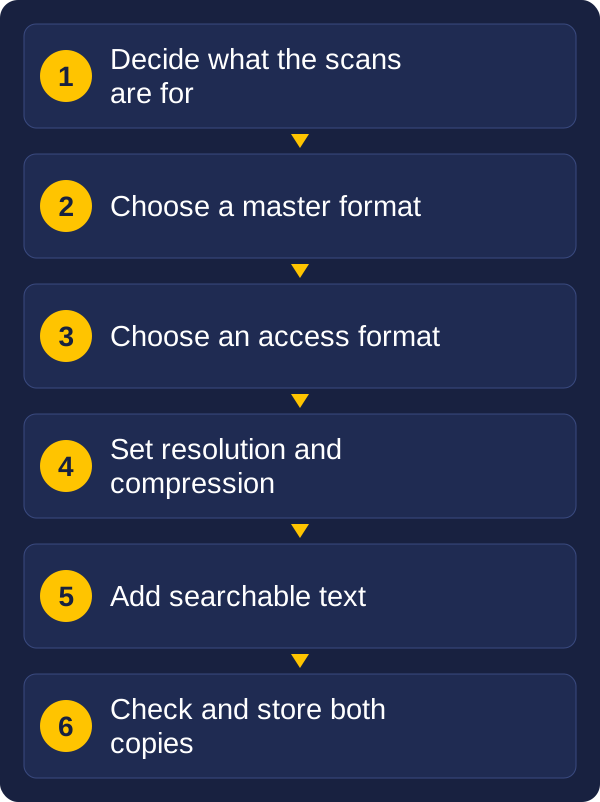
A good first step is to decide four things: what the scans are for, how long they must be kept, which rules apply to your records, and how people will use them day to day. The answers usually point to a master format and an access format.
Vision and Beyond helps organisations choose scanners and capture settings, set up indexing and searchable files, and manage records. We stay involved after the equipment is installed. If you would like to talk through the right file types for your records, send us a message with the kinds of documents you scan and what you need to do with them.
These guides may also help:
Tell us what you scan, roughly how much, and what you need to do with the files. We will reply with a recommendation.