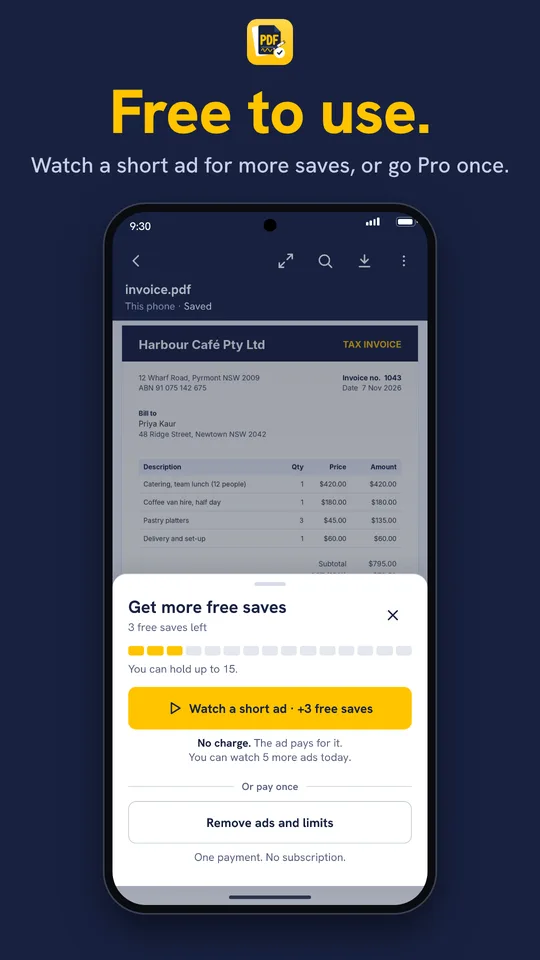
Free to use
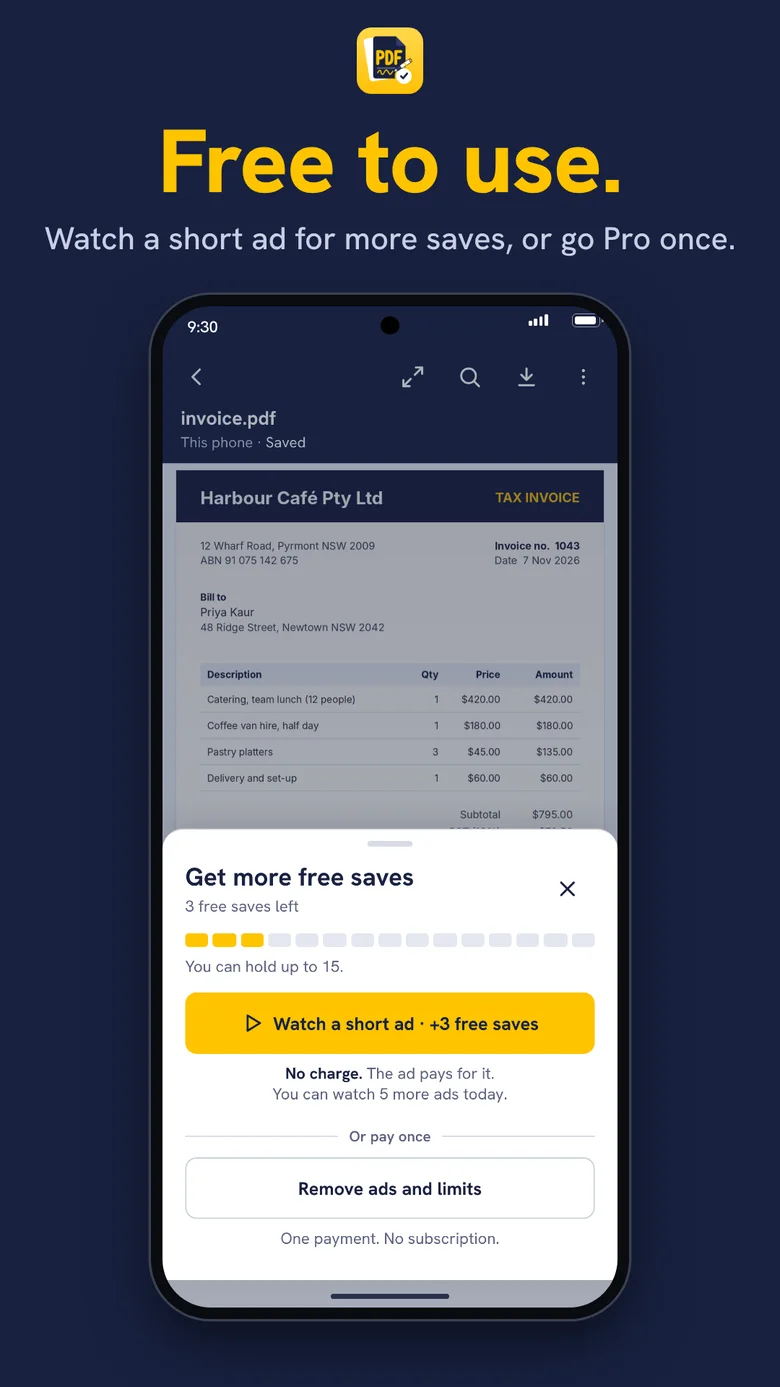
Watch a short ad for more saves, or pay once.
Most PDF apps let you read for free and charge for everything else. PDF Partner doesn’t. Read, fill, sign, mark up, sort pages, scan and protect your PDFs, all free, with no account.
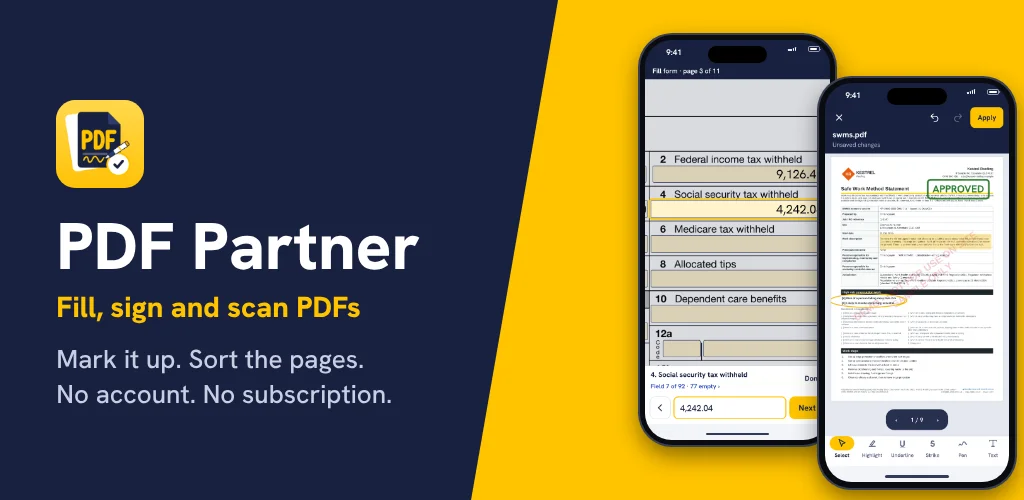
Key points


Coming soon to the App Store and Google Play.
This is the full toolkit. Every part of it is included, with no upgrade tier.
Zoom from 25% to 500%, search with every match highlighted, open password-protected PDFs
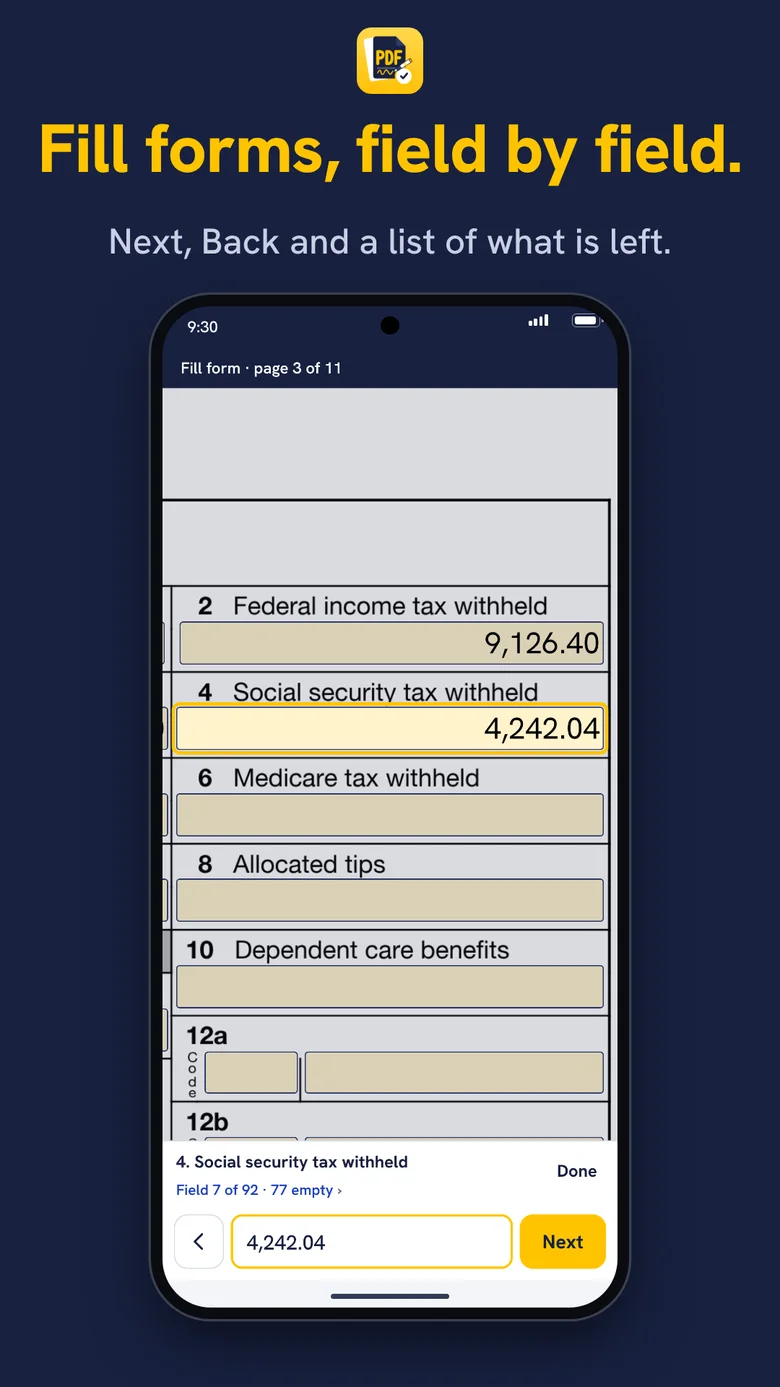
Text boxes, tick boxes, drop-downs and radio buttons, Next and Back, automatic totals
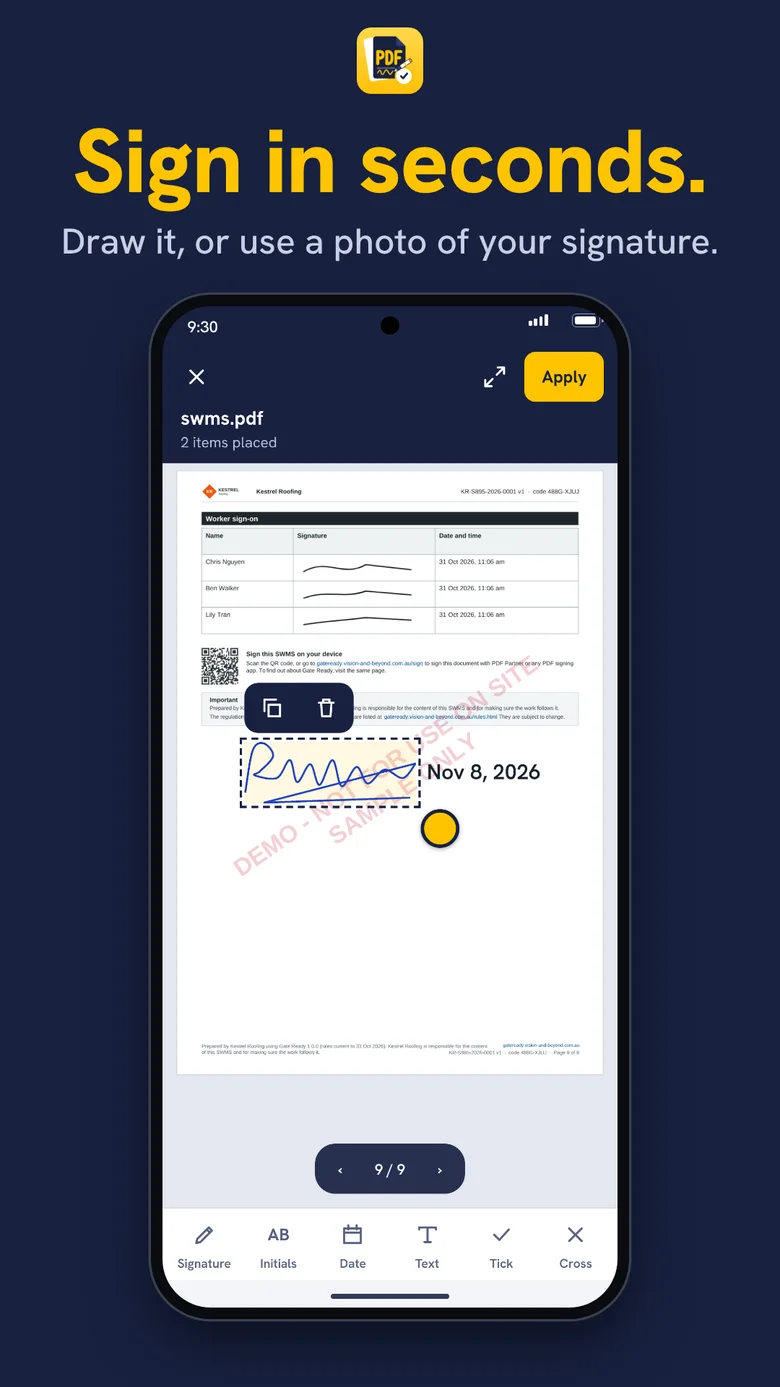
Draw it or use a photo of your signature, add initials, dates, ticks and crosses
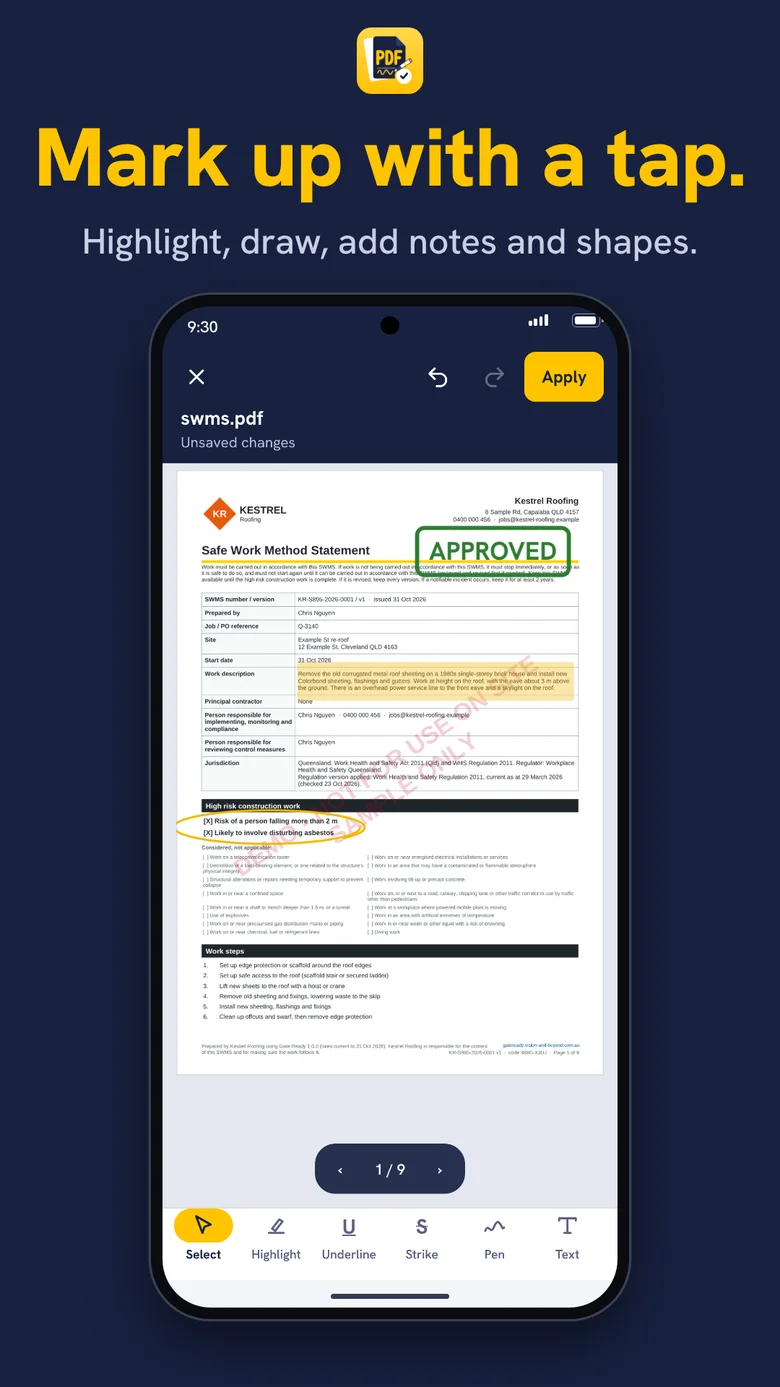
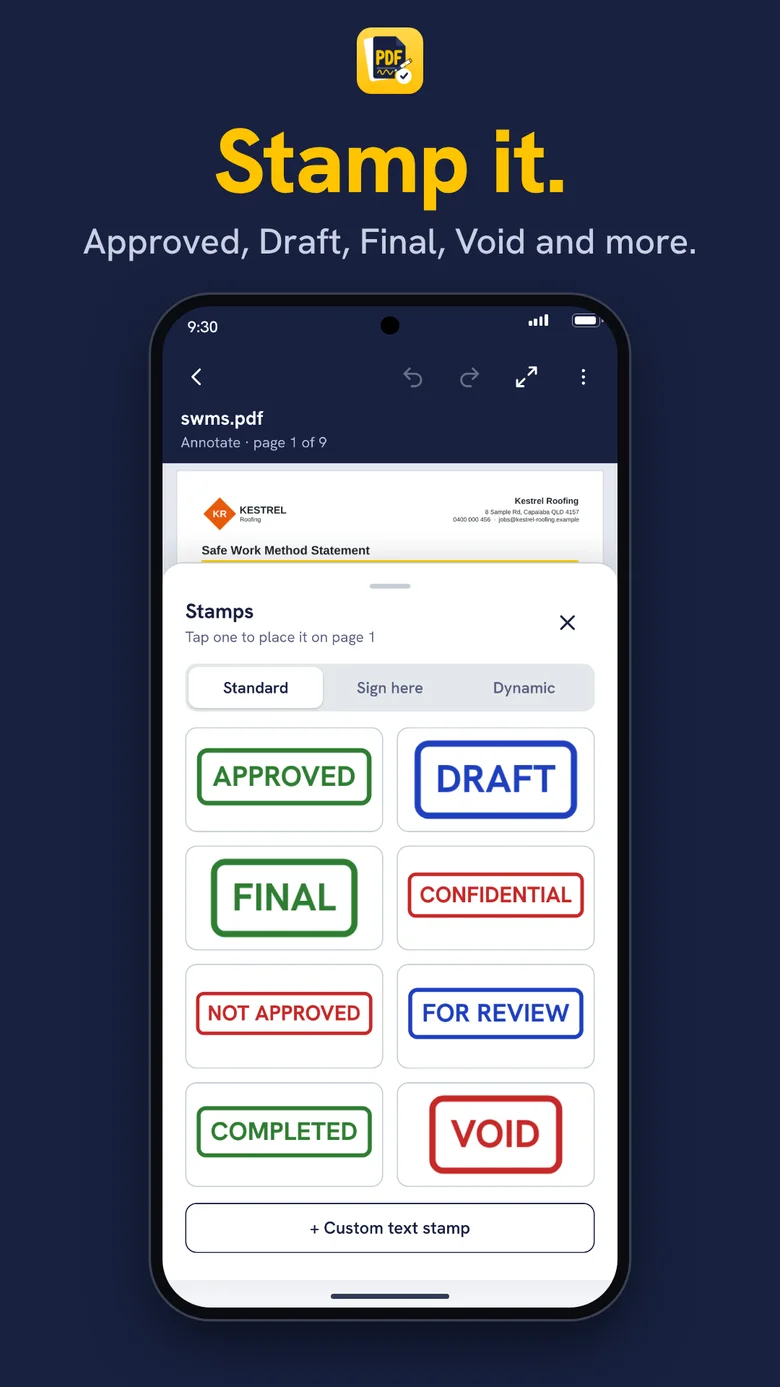
Highlight, underline, pen, text, shapes and arrows, plus Approved, Draft and Sign here stamps
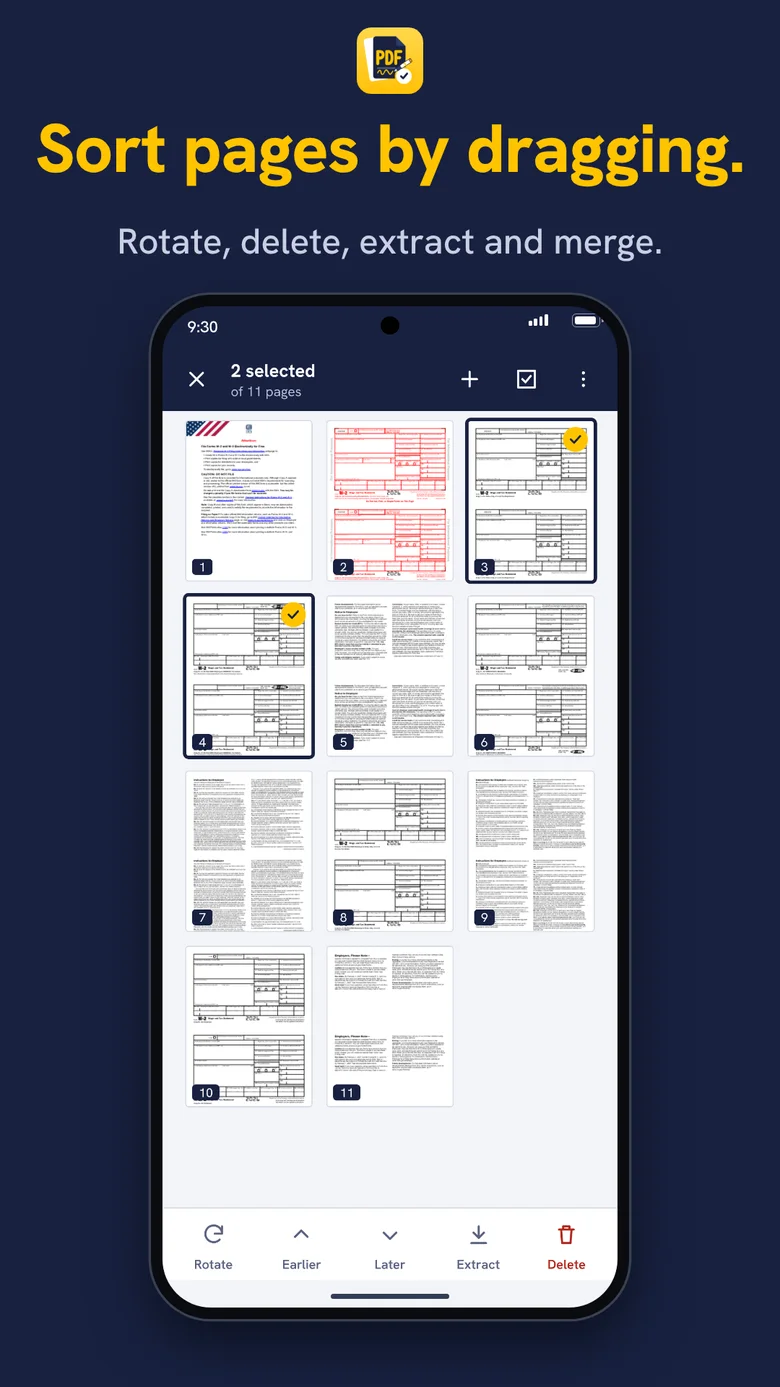
Drag to reorder, rotate, delete, extract, merge, and add pages from a photo or another PDF
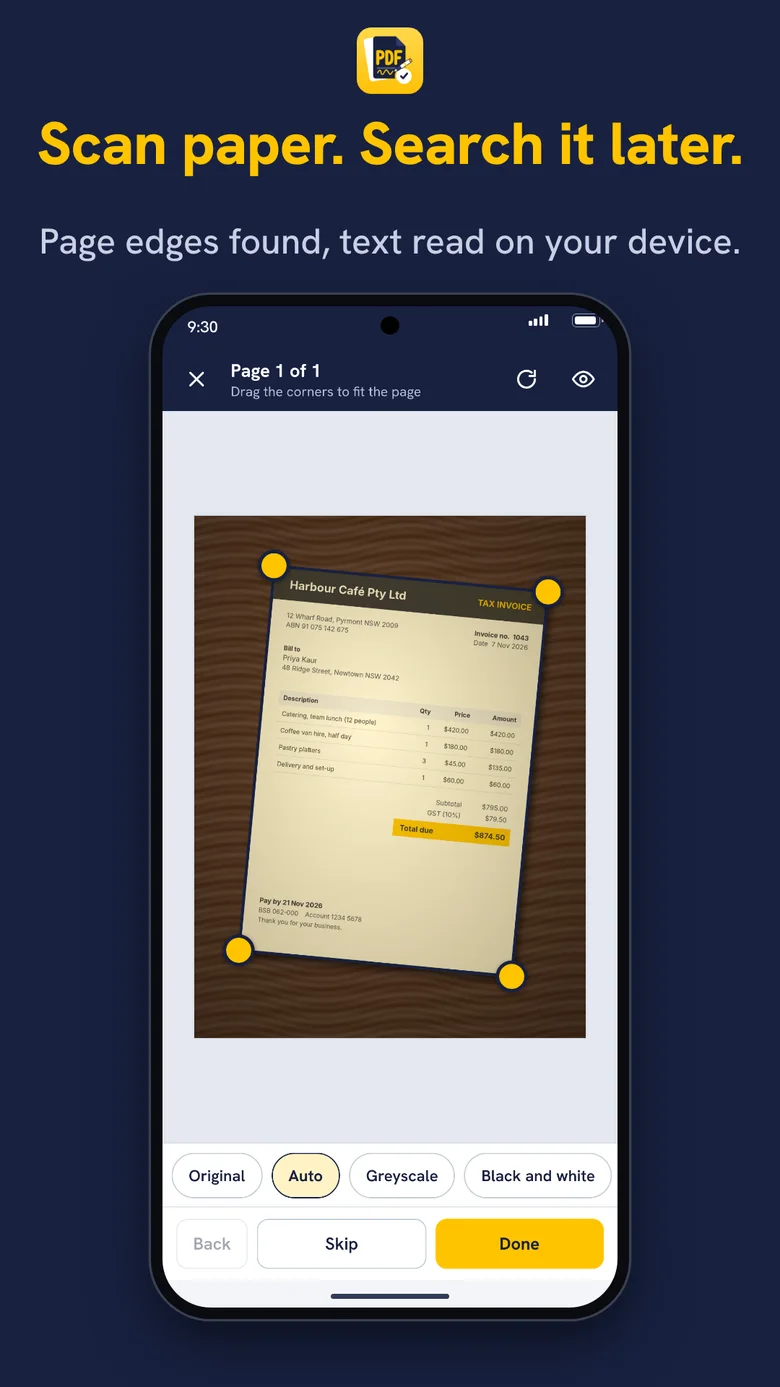
Edges straightened, text read on your phone so scans are searchable, even offline
Add or remove an AES-256 password, make files smaller, lock marks in with a Final copy
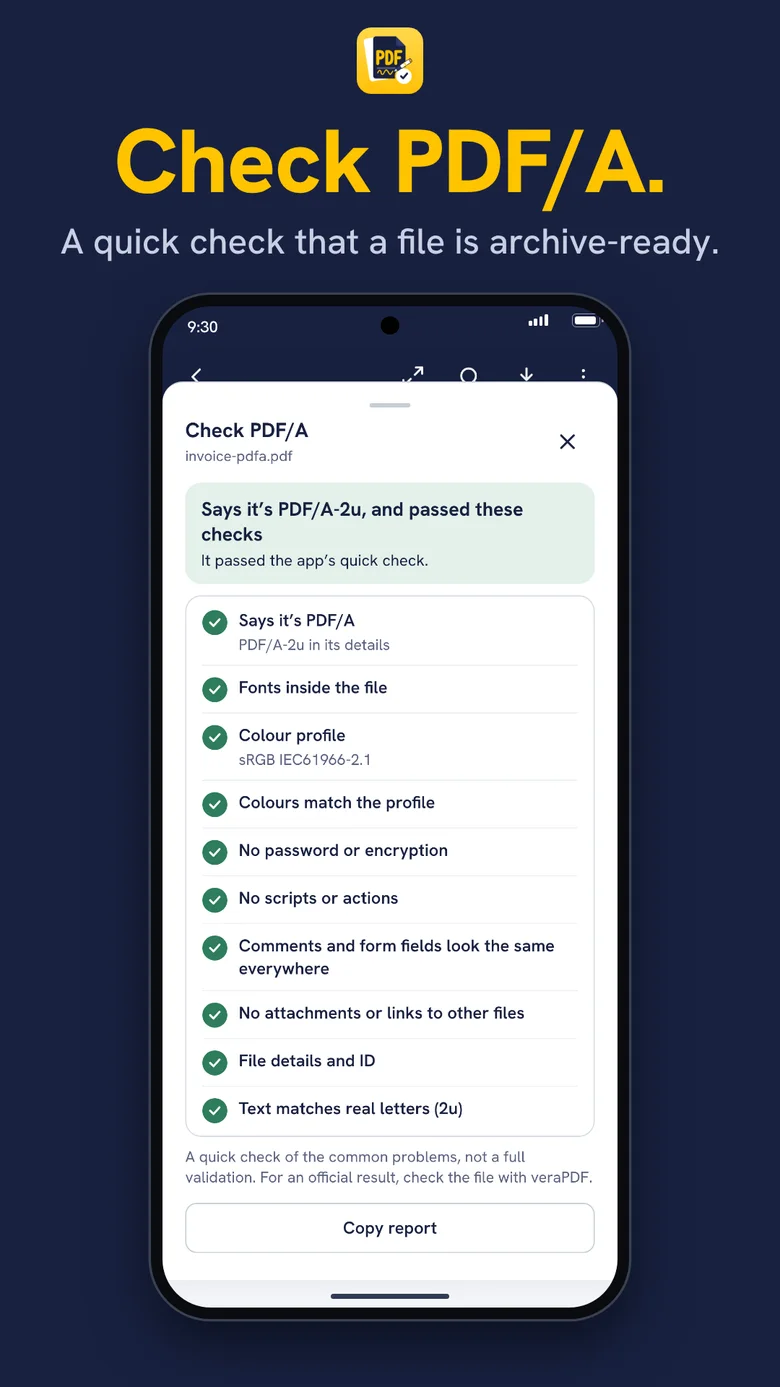
PDF/A-2b and PDF/A-2u copies, plus a built-in check of any PDF
Many of the big names sell the tools above as a subscription, or hold some of them back for a paid plan. These are approximate prices from public vendor pages and reviews as at 10 November 2026. Plans change often, so check the store listing before you buy.
| App | Approximate price |
|---|---|
| PDF Partner | Free, or US$14.99 once to remove ads |
| Adobe Acrobat Pro | About US$19.99 a month on an annual plan |
| pdfFiller | About US$8–15 a month on annual billing, more month to month. No free version, 30-day trial |
| PDF Expert (iPhone only) | US$79.99 a year, or US$139.99 lifetime |
| PDFelement | About US$30–40 a year |
| UPDF | From about US$29.99 a year |
| Smallpdf | About US$4.99 a month, or US$49.99 a year |
| Xodo | Pro around US$10.99 a year (one source) |
With PDF Partner you start with 3 free saves or shares. When you run low, watch a short ad to add 3 more. Unused saves carry over, up to 15. Reading, filling, signing and marking up never use one. Prefer no ads at all? Pay once and they are gone. That one payment is less than a year of Acrobat, PDF Expert, PDFelement, UPDF or Smallpdf, and you never pay again.
Watch a short ad for more saves, or pay once.
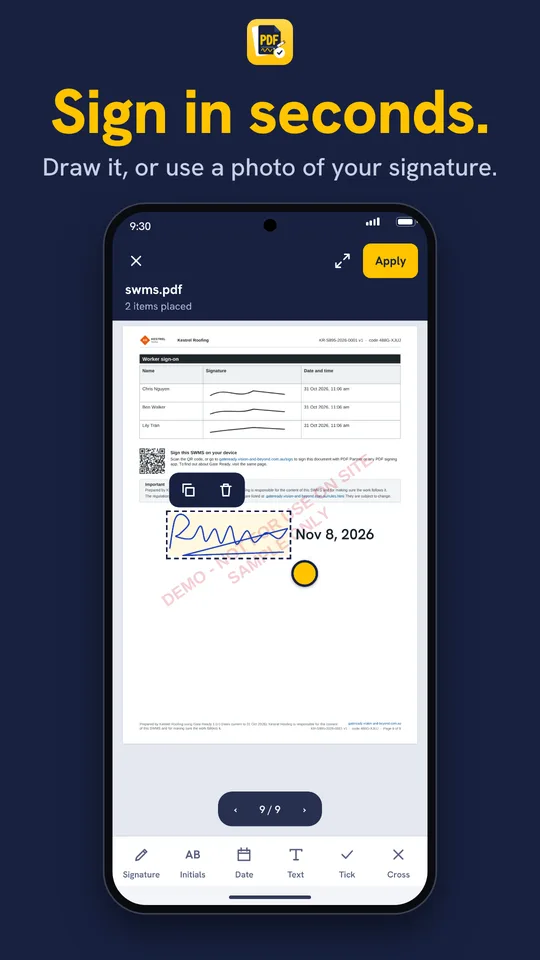
Draw it, or use a photo of your signature.
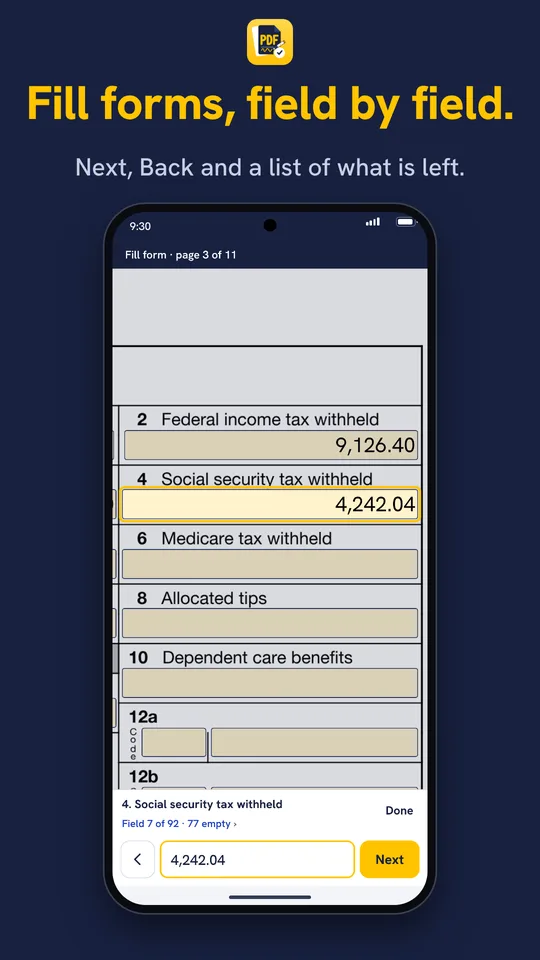
Next, Back and a list of what is left.
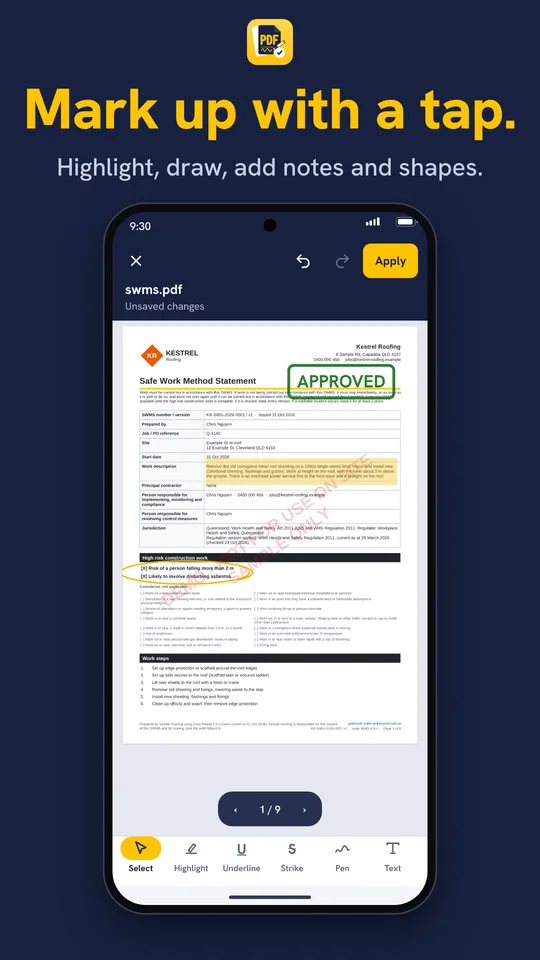
Highlight, draw, add notes and shapes.
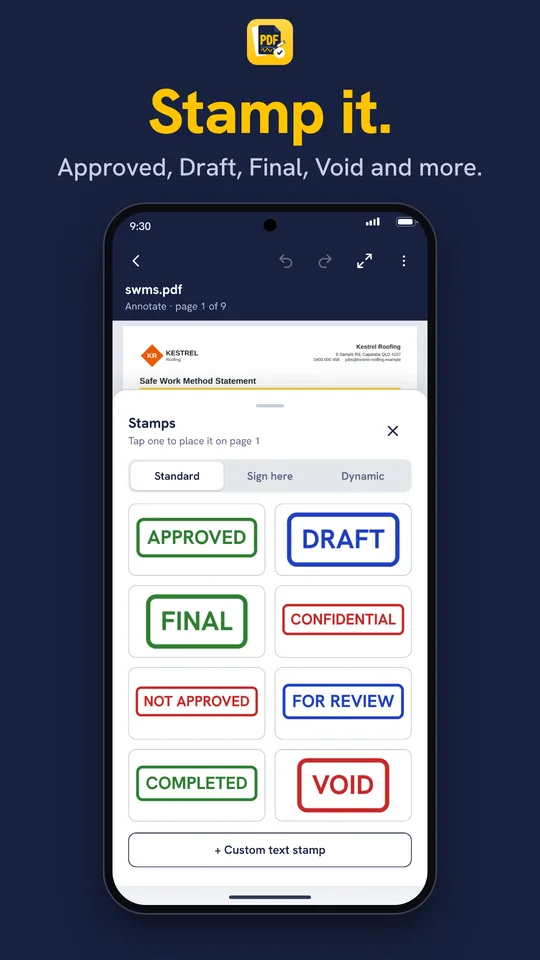
Approved, Draft, Final, Void and Sign here flags.
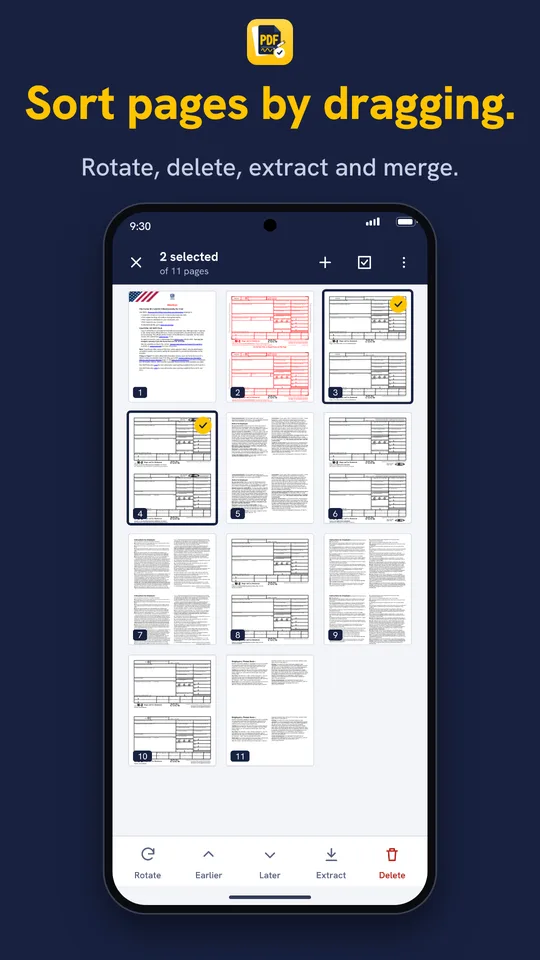
Rotate, delete, extract and merge.
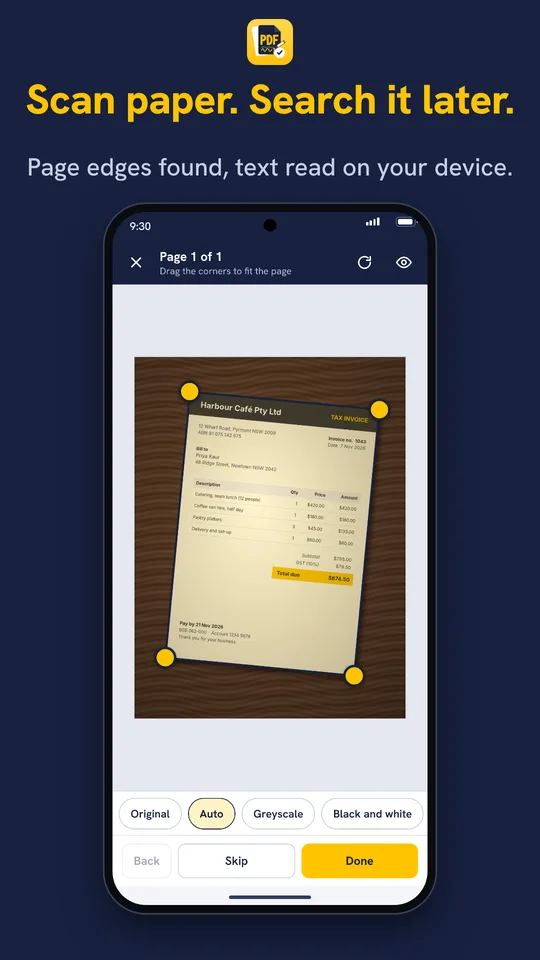
Page edges found, text read on your device.
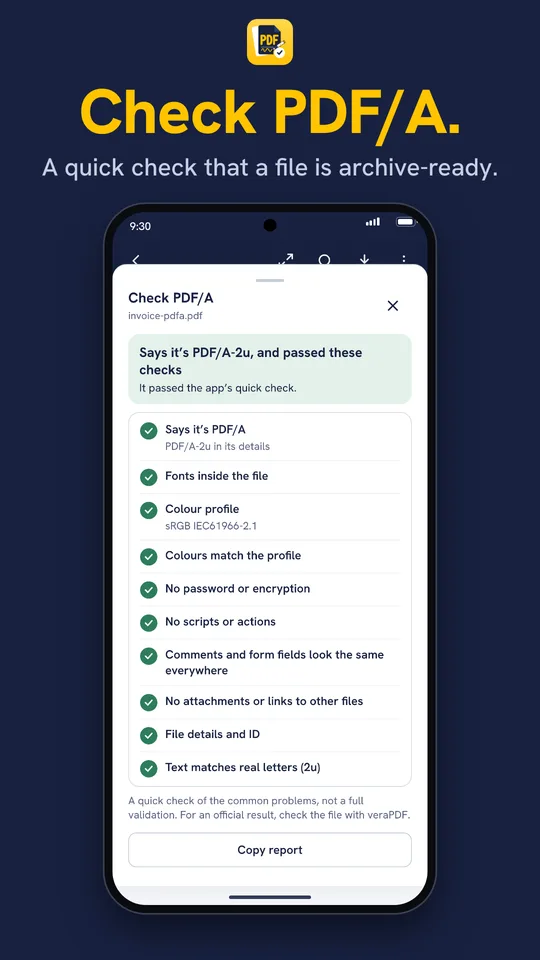
A quick check that a file is archive-ready.
Screens are previews and may differ slightly from the released app.
A free app is often free the way a sample is free: you can read the file, but signing, page tools and password protection come with an upgrade prompt. In PDF Partner they are all included.
And that is still not all of it. You can also copy and paste marks between pages, undo and redo, favourite the folders you save to, keep unsaved changes if the app closes, and share several PDFs at once and combine them (Android). See the complete list under everything PDF Partner does.
Several competitors steer you towards an account and their own cloud. PDF Partner does not ask you to sign up. Editing, signing and text reading all happen on your phone, and your documents are not sent to us. If you share a file or save it to a cloud service, that service handles it, and that is your choice.
You can open a PDF from Mail, Messages, your browser or your files and save straight back to where it came from. If the app closes before you save, your changes are kept until you decide what to do with them.
PDF Partner does not edit the existing text of a PDF, does not add certificate-based digital signatures, and does not support XFA forms or custom form scripts. It cannot open PDFs locked with a certificate, and it cannot yet type Chinese, Japanese, Korean or emoji into form fields.
If you need to rewrite paragraphs in a finished contract, or your work requires cryptographic signatures, choose a paid editor. For the much more common jobs of filling, signing, marking up, rearranging and scanning, those tools are expensive overkill.
In our comparison of 12 popular apps, these are the features most often held back for a paid plan or limited. PDF Partner includes all of them.
| Feature | PDF Partner | Most paid apps |
|---|---|---|
| Reorder, rotate and delete pages | Free | Paid plan or limited |
| Merge and extract pages | Free | Paid plan or limited |
| Scan with text recognition | Free | Paid plan or limited |
| Password protection (AES-256) | Free | Paid plan or limited |
| Shrink file size | Free | Paid plan or limited |
And the wider picture:
| Topic | PDF Partner | Typical paid app |
|---|---|---|
| Cost | Free, or US$14.99 once | Subscription, often US$30 or more a year |
| Core features | All included | Many behind a paid plan |
| Account | Not needed | Often encouraged or required |
| Where documents go | Stay on your phone | Often synced to the vendor’s cloud |
| Edit existing text, certificate signatures | No | Usually, on a paid plan |
Competitor details are a snapshot from public sources and change often. Check each store listing before you decide.
For everyday jobs on a phone, yes. Reading, filling forms, signing, marking up, sorting pages, scanning and protecting PDFs are all included free, with no account. The paid apps do more in other areas, mainly editing existing text, converting to Office formats and team workflows, so which one suits you depends on the job.
| App | Built for | Where PDF Partner differs |
|---|---|---|
| Adobe Acrobat | Advanced and enterprise use, including editing existing text and converting to Office formats | No account, no subscription, and the everyday jobs are free on your phone |
| pdfFiller | Small businesses that want cloud-based document management, a forms library and sending documents for signature | No account and no cloud. Documents stay on your phone, and it is free |
| PDF Expert | Apple users who want a polished iPhone and Mac app (no Android version) | Works on iPhone and Android, with no subscription or lifetime fee |
| PDFelement | An all-in-one editor with conversion and text recognition across desktop and mobile | Free on your phone, and no yearly plan |
| UPDF | One licence across several devices, on a yearly plan | No plan to manage, and no licence to share across devices |
| Xodo | A free-to-start reader with annotation and cloud features, and a Pro plan | All features included, and no account needed |
| Smallpdf | Quick conversions and edits, with limits on the free plan | Handles the everyday jobs on your phone for free, though it does not convert to Office formats |
Descriptions are general summaries from public vendor pages and reviews. Features and plans change often, so check each store listing.
Every feature is free to use, with no ads while you read, fill, sign or mark up. Your first 3 saves or shares are free, then you watch a short ad to add 3 more (up to 15 held). Pay once for US$14.99 and the ads go for good.
No. There is nothing to sign up for, and your documents are not sent to us.
No. It reads, fills, signs, marks up, sorts pages and scans. If you need to rewrite text that is already in a PDF, a paid editor is the right tool.
No. Signatures are pictures placed on the page, like signing on paper. Whether that is accepted depends on who you are giving it to, so check if you are unsure.
It depends on the job. For reading, filling, signing, marking up, sorting pages, scanning and protecting PDFs, PDF Partner includes everything free. Acrobat Pro costs about US$19.99 a month on an annual plan and goes further, for example with editing existing text. If you need that, Acrobat is the better fit.
Editing, signing and text reading all happen on your phone, and scanned pages can be searched even offline. You only need a connection if you open or save through a cloud service.
iPhone and Android phones. It needs iOS 17 or later, or Android 10 or later.
For filling, signing, marking up, sorting pages and scanning on a phone, yes. pdfFiller is a cloud-based service with an account and plans from about US$8 a month on annual billing, with no free version beyond a 30-day trial. PDF Partner has no account, keeps documents on your phone and is free. pdfFiller does more for businesses, including editing existing text, building forms, a forms library, team collaboration and sending documents for signature.
PDF Partner. It fills forms, adds a drawn or photographed signature, and marks up and scans PDFs, with no account and no upgrade tier. Your first 3 saves or shares are free, then you watch a short ad for more, or pay once to remove ads.
Read, fill, sign, mark up, sort, scan and protect, with no account and a one-off price if you would rather not see ads.
Coming soon to the App Store and Google Play.
PDF Partner needs iOS 17 or later, or Android 10 or later. See every feature.
These guides may also help:
Ask us anything about the app, or tell us what you would like it to do. We read every message.